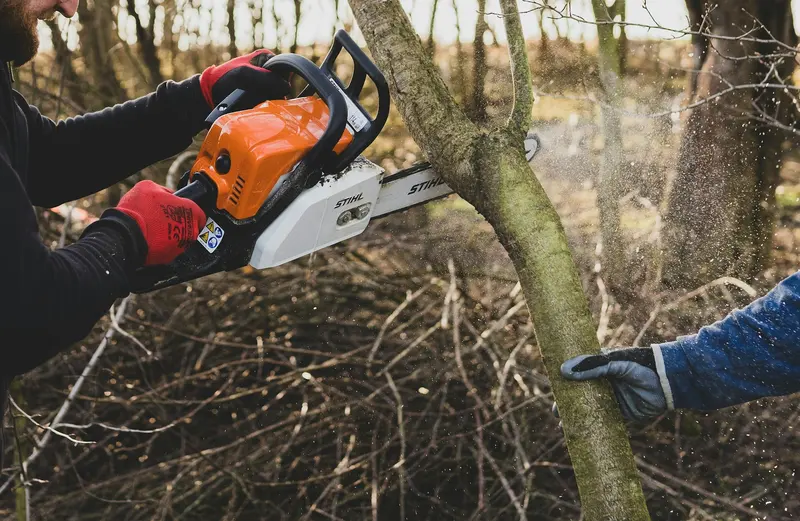
The hardest part of running a small tree company is not the cutting. It is that the phone and the schedule fight each other all day.
The crew needs the owner on site. The customer needs the owner on the phone. The next job needs an estimate that nobody has time to write. Something always gives, and it is usually the call.
I do not run crews, so I am not going to tell you how to cut a tree. I can tell you how the phone and schedule usually break down, and a few routines that help.
Where the breakdown happens
Most scheduling trouble comes from four spots:
- The call comes in while everyone is busy. Nobody answers.
- The message gets lost. It is on a sticky note, a voicemail or in someone’s head.
- The schedule lives in one place. If the owner is on a ladder, nobody else knows what is booked.
- Promises get made on the fly. “We’ll be there Thursday” becomes a problem on Wednesday.
Fixing these does not take software at first (our guide to hiring and crews has more on roles). It takes agreement on who does what.
Decide who answers the phone
Pick one name for each time of day. Not “whoever is free.” A named person, plus a backup.
Here is a sample coverage plan. The hours are placeholders, change them to your own:
| Time of day | Who answers | Backup |
|---|---|---|
| Early morning | Owner | Office helper |
| Daytime | Office helper or family member | Owner, or automatic text-back |
| Evening | Owner | Automatic text-back |
| After hours | Answering service or text-back | Owner next morning |
Typical options:
- The owner, early morning and evening
- An office helper or family member, during the day
- An automatic text-back or AI assistant, when nobody can answer
- An answering service, for after hours
Write the plan on one page and stick it somewhere everyone can see. If the primary does not pick up in a few rings, the call should go to the backup instead of dying.
According to Invoca, about 27% of calls to home-service businesses go unanswered, and under 3% of those callers leave a voicemail. A named answerer plus a backup is the cheapest way to avoid being part of that statistic.
Keep one source of truth for the schedule
Put every job in one place that more than one person can see. A shared calendar works. A whiteboard in the shop works, too, if someone photographs it at night.
Each entry should have:
- Customer name and phone
- Address and a map link
- Type of job and what is to be done
- Photos, if you have them
- Crew assigned and the time window
- Access notes, such as gate codes, dogs, tight driveways
- Status: estimate, booked, in progress, done, needs follow-up
Do not rely on memory. Memory is lovely until the third storm week.
Try it: lay out the week in the crew schedule planner, and check what a crew day must earn with the crew day rate calculator.
Separate estimates from crew days
A common mistake is mixing sales work and production work in the same hours. Estimating is a different job from cutting, and each one suffers when you cram them together.
Some owners block fixed times for estimates, such as two afternoons a week, and keep crew days free. Others hand estimates to a lead climber or a salesperson. Pick what fits your size.
If you quote jobs from photos where it makes sense, you can sometimes save a trip. Be careful: photos do not show everything, and your estimate should say what you assumed. A rough job estimator can help you give a first range, with a site visit for the final price when needed.
The office-to-crew handoff
When the office books a job, the crew needs a short, clear handoff. I like a simple template:
Job: Remove one dead oak, back yard Customer: Name, phone Address: Street, with access notes When: Date and arrival window Scope: What is included, what is not Notes: Power lines near the east side, dog inside, gate code Price and payment: What was quoted, how they pay
Send it the night before. The crew lead replies with a thumbs up. If there is a question, it gets answered before morning, not in the customer’s driveway.
For the other direction, ask the crew to send back three things after each job: done or not, any extra work found, and photos. That feeds your invoices, reviews and follow-ups.
A daily rhythm that works
You do not need a perfect system. You need a routine.
Morning
- Check today’s jobs and the weather
- Confirm crews, trucks and equipment
- Check the overnight messages and missed calls
Midday
- Return calls and messages in one block
- Send estimates promised for today
- Adjust tomorrow’s plan if jobs ran long
End of day
- Send the next day’s handoffs
- Mark jobs done and send review requests
- Log new leads and their next step
Even fifteen minutes at each point beats scrambling in the evening.
Rules that prevent double-booking
- Do not promise a date until you check the shared schedule.
- Give arrival windows, not exact times, unless you are sure.
- Build in travel time and cleanup time between jobs.
- Leave a little slack each week for emergencies and rain delays.
- If you must reschedule, tell the customer yourself, early, with a new date.
Rain delays are normal. Customers forgive a call that says “we are pushing you to Friday.” They do not forgive silence.
When the phone cannot be answered
Sometimes everyone is truly busy. That is when automatic tools help:
- An automatic text to missed callers: “Sorry we missed you, we’re on a job. What do you need and what’s the address?”
- A voicemail greeting that tells people what to do and when to expect a reply
- An assistant that takes details and sends you a summary
Be honest in all of them. If you will call back by noon, say noon. The missed-call text-back explains how that works, and the review system can take over the “thanks, please review us” step after each finished job.
If you are thinking about adding office help, compare the options in the hiring cost calculator. Storm weeks need extra care, so see the storm capacity planner too.
Start with a one-week experiment
Try this for one week:
- Name who answers, and their backup
- Put every job on one shared schedule
- Send handoffs the night before
- Write down every call you miss and why
At the end of the week, look at the list of misses. It will show you exactly what to fix first. If you want help finding the gaps, the free audit looks at how your company handles calls and follow-ups.
Small tools that help
You do not need expensive software to start. A shared calendar, a shared notes app or spreadsheet, and a phone number that forwards to the right person can run a one- or two-crew company. Add software only when the simple version breaks.
When you do look at tools, ask two questions: does it make the handoff clearer, and will my crew actually use it? A tool the crew ignores is worse than a whiteboard. Try it for two weeks with one crew before rolling it out to everyone, and drop it if it adds work instead of removing it.